Does Raw SEO Work on YouTube? How to Optimise a Video File Before You Upload
Does raw SEO actually do anything on YouTube?
Here is a pattern I have watched for the best part of nine years. A creator spends two hours rewriting a title, another hour on the thumbnail, twenty minutes tuning the description and tags, and then uploads a file named final_v3_REALFINAL.mp4 with nothing inside it at all.
Meanwhile, plenty of people who have been publishing for a long time still run one extra step before they hit upload: they write metadata into the video file itself. In English-speaking creator circles this usually goes by raw SEO, file SEO or pre-upload metadata.
I want to be straight with you in the first paragraph, because this topic attracts a lot of nonsense. Raw SEO is not a ranking hack. YouTube has never published anything confirming that it reads those fields. What it actually is, is a discipline: a way of making sure the keyword you researched survives the whole production chain instead of quietly disappearing somewhere between the edit and the upload. That is worth something. In this article I will show you exactly how much, how to do it properly, and what it cannot do.
What raw SEO actually means
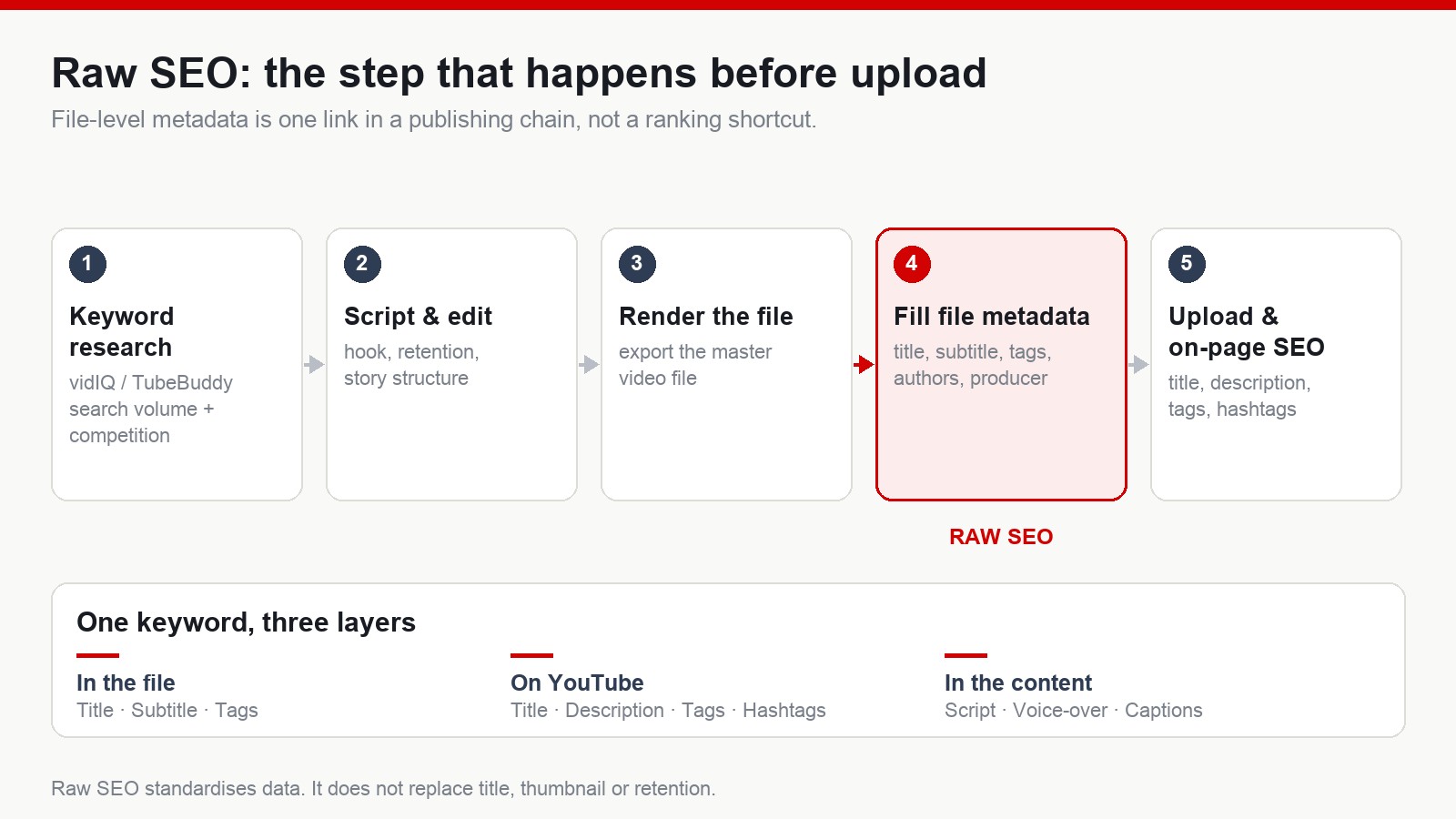
Raw SEO is the practice of filling in the metadata fields that live inside a video file, on your own computer, before that file ever reaches YouTube.
Instead of optimising only the three things the platform shows you — title, description and tags — you also fill the fields the container format already carries. The ones people normally use are:
- Title
- Subtitle
- Tags
- Authors
- Comments
- Producer
The goal is data consistency. Think of raw SEO as one small link in a much longer youtube seo chain, not as a standalone trick that works on its own. If you strip out the mystique, all you are doing is labelling your own asset properly. That sounds boring. Boring is usually where the durable gains live.
Step 1: screen the keyword before you write anything
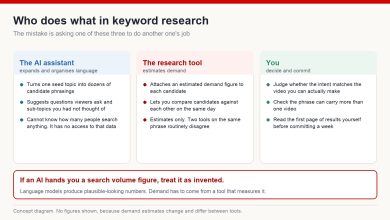
You cannot standardise around a keyword you have not chosen yet. So the first move is keyword research, and the tools most creators reach for are vidIQ or TubeBuddy — both give you an estimated monthly search volume and a competition score right inside the YouTube interface.
The filters I use when I am building a faceless channel for a US, UK, German or Japanese audience are simple:
- Search volume roughly in the 5,000 to 50,000 per month band. Big enough that people are genuinely looking, small enough that a young channel can still surface.
- Long-tail phrasing, meaning three words or more. Longer phrases carry intent; single words carry almost none.
- Competition low to medium. If the first page is entirely channels a hundred times your size, that term is not your term yet.
So instead of chasing something as broad as youtube or ai video, you would go after phrases a real person actually types:
- youtube automation tutorial for beginners
- faceless youtube channel ideas
- how to make ai videos for youtube
- best budget mic for voice over
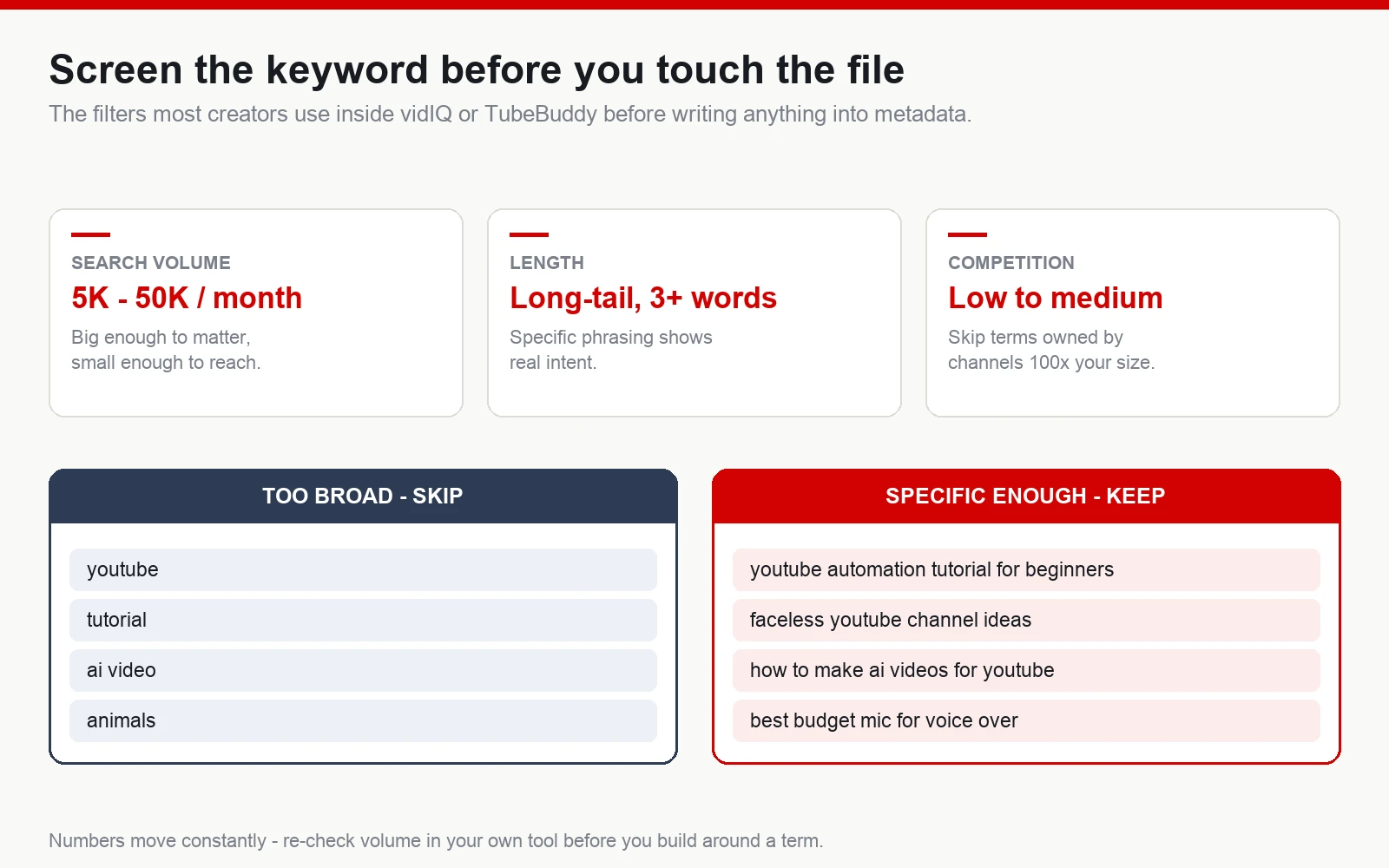
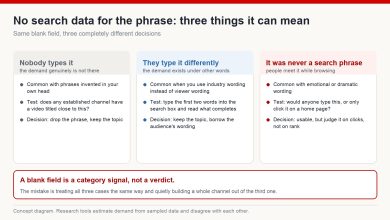
One honest caveat before you build a whole channel around a number on a screen: every one of those volume figures is an estimate, and the estimates move. Different tools disagree with each other, and the same tool will show you a different number three months later. Use them to compare terms against each other, not as a measurement you can bank on.
Step 2: open the file properties
Once the video is rendered, the process on Windows is: right-click the file, choose Properties, then the Details tab. Windows lets you edit a handful of metadata fields directly from there.
Two things worth knowing before you start, so you do not lose an evening to it. First, this workflow is built around Windows. macOS handles file metadata differently and generally needs a separate tool such as ExifTool or Subler to reach the same fields. Second, not every container and not every export preset exposes every field — an MP4 out of one editor may show fields that another editor’s MP4 does not.
Step 3: fill the fields
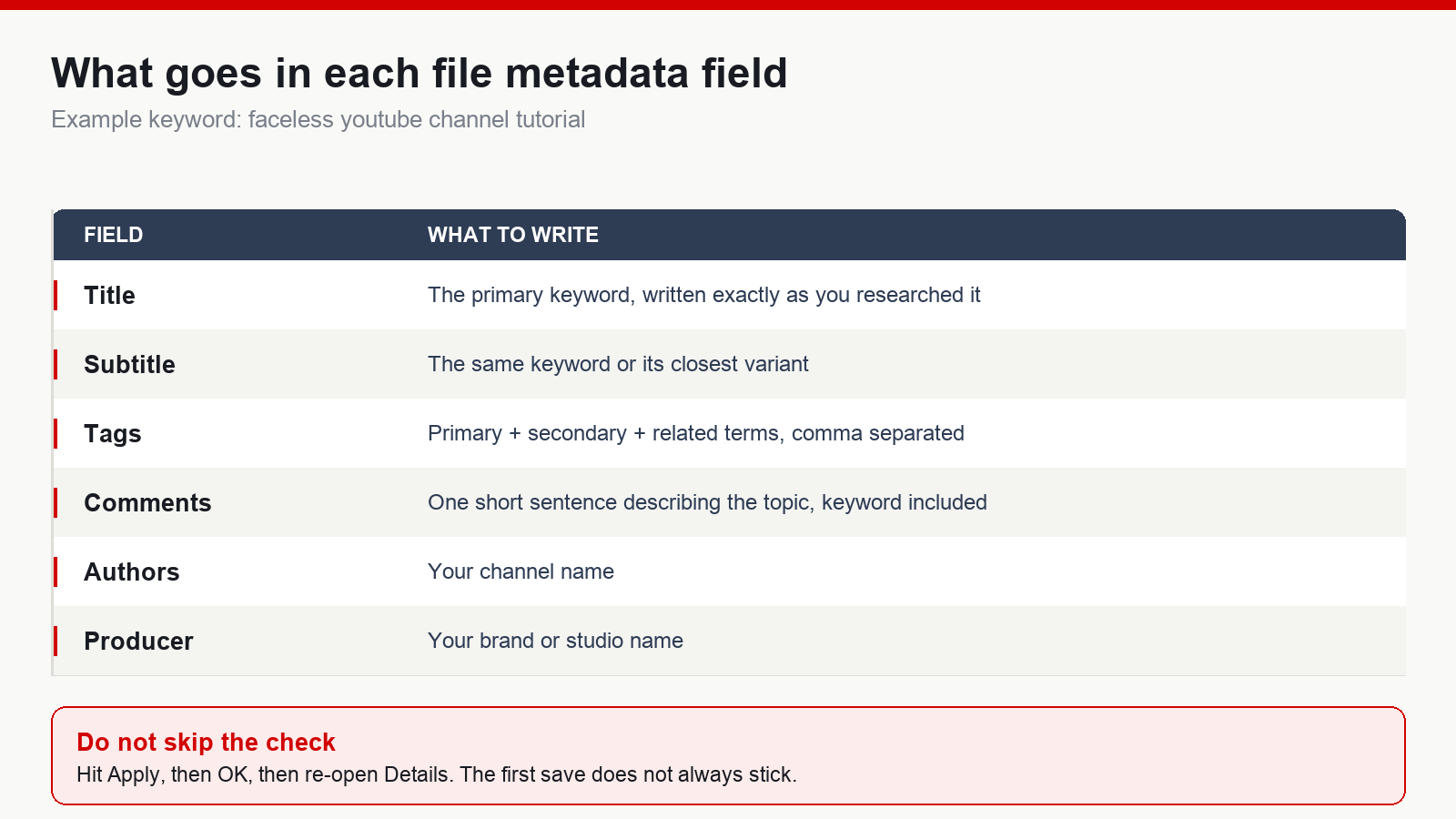
Title
Your primary keyword, written exactly as you researched it. For example: faceless youtube channel tutorial.
Subtitle
The same keyword, or the closest variant of it. This is not the place to get creative — the whole point is repetition of one term.
Tags
Primary keyword, secondary keywords, and related terms. Staying with the same example:
- faceless youtube channel
- youtube automation
- ai video workflow
- faceless content strategy
Comments
One short sentence describing what the video is about, with the keyword inside it. Again, consistency is the objective.
Rating
A lot of raw SEO walkthroughs tell you to set five stars here. I will say plainly what I believe: there is no evidence from YouTube that a star rating written into a local file affects anything at all on the platform. Set it if you like your library tidy. Do not expect it to move a single view.
Step 4: add your channel and brand information
This part is less about search and more about asset management, which is why I actually keep doing it.
Authors
Your channel name.
Digital Producer
Your brand or studio name, if you have one.
Channel identification
Some creators also record the channel ID — the string that starts with UC — alongside the file in their own content spreadsheet, so every master file can be traced back to the channel it belongs to. If you only run one channel this feels like overkill. The moment you are running several in parallel, which is normal in faceless publishing, it stops being optional. I have opened folders from two years earlier and been genuinely grateful that the files told me where they came from.
Step 5: verify what was actually saved
Click Apply, then OK. Then reopen Details and read the fields back.
This is the step almost everybody skips, and it is the step that decides whether the previous ten minutes meant anything. Windows does not always commit the changes on the first pass, particularly on larger files or files that are still being read by another program. Skip the check and you may be diligently filling in fields that never get written.
Does raw SEO replace YouTube SEO?
No. This is the part I want you to hold onto if you forget everything else in this article.
Raw SEO is a small link in the chain. The things that decide whether a video works are still, in order:
- A title that makes a clear promise
- A thumbnail that earns the click
- Retention — how long people stay
- Total watch time
- Content that was worth their evening
Modern YouTube optimises for viewer satisfaction far more than for metadata. So do not treat raw SEO as a secret door. Treat it as housekeeping that happens to be cheap.
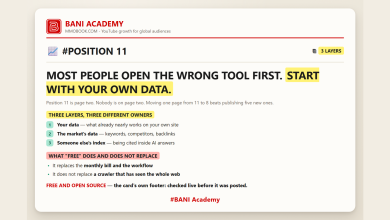
The principle underneath: one keyword, three layers
Say the video is built around faceless youtube channel. That phrase should appear consistently across three layers.
Inside the file
- Title
- Tags
- Metadata fields
On the platform
- Video title
- Description
- Hashtags
- Tags
Inside the content
- Script
- Voice-over
- Captions
When all three layers say the same thing, your content system is legible — to the algorithm, to your future self, and to anyone you eventually hire. When they disagree, you have a video that is technically about one subject and practically about another. That is a much more common problem than people realise.
Is it worth doing on a brand new channel?
If you are at the stage of:
- Your first zero to twenty uploads
- Establishing a recognisable identity
- Building a faceless channel
- Building a content library you intend to keep for years
then adding raw SEO costs you a couple of minutes per video and no money at all. That is why it stays on a lot of publishing checklists, mine included.
What you should not do is let it crowd out the heavy work: topic research, storytelling, thumbnail design, and the first fifteen seconds of the video. Those are the levers that actually move a channel. Raw SEO is a checkbox, not a lever.
What nine years has taught me about steps like this
I started on YouTube in 2017, and the most useful thing I have learned is not a tactic. It is that channels rarely break out because of one enormous optimisation. They tend to grow because of dozens of small ones, applied consistently, over a length of time most people are not willing to sit through.
Raw SEO belongs firmly in that category. Nobody will ever look at your analytics and say the metadata inside your MP4 was the turning point. But a creator who fills those fields is usually a creator who also names files properly, keeps a keyword sheet, and can find last quarter’s project in under a minute. The habit is the asset.
Results vary, platform policies change, and anyone who tells you a metadata field is a shortcut to views is selling you something. Do the small things because they compound, not because you were promised they would not.
Frequently asked questions
Is raw SEO required?
No. It is an optional habit, not a YouTube requirement, and no part of the platform asks for it.
Can I do raw SEO on a Mac?
The common workflow is written for Windows. macOS stores and exposes file metadata differently, so you would need a dedicated tool such as ExifTool to edit the same fields.
Will raw SEO make a video go viral?
There is no evidence that it will. Content quality, click-through rate and retention matter enormously more.
Should a new channel bother with it?
You can, as a way of standardising your publishing routine, as long as it does not distract you from content and viewer experience.
If you want to build a channel that lasts, work on both halves: a publishing process you can repeat without thinking, and content people actually finish watching. Raw SEO is one small piece of the first half. Storytelling, retention and genuine value are the whole of the second — and the second is what keeps a channel alive for years.
If you are starting a faceless channel aimed at an English-speaking audience and you would rather follow a structured path than assemble one from scattered videos, that is what I teach over at mmoyoutube.com.